Objective
This article explains how to access your ROE's designated test district using the system's built-in Impersonation Mode. This tool allows you to view the portal interface exactly as a school district sees it, enabling you to test features or troubleshoot district user questions.
Critical Action Warning:
DO NOT change the email address of the test district superintendent profile to your own email address. Doing so will disrupt the system's permission architecture and can completely lock you out of the compliance system.
Step-by-Step Guide
Step 1: Access User Management
Log into your ROE compliance portal account.
From your main dashboard, look at the navigation panel and click Manage Users.
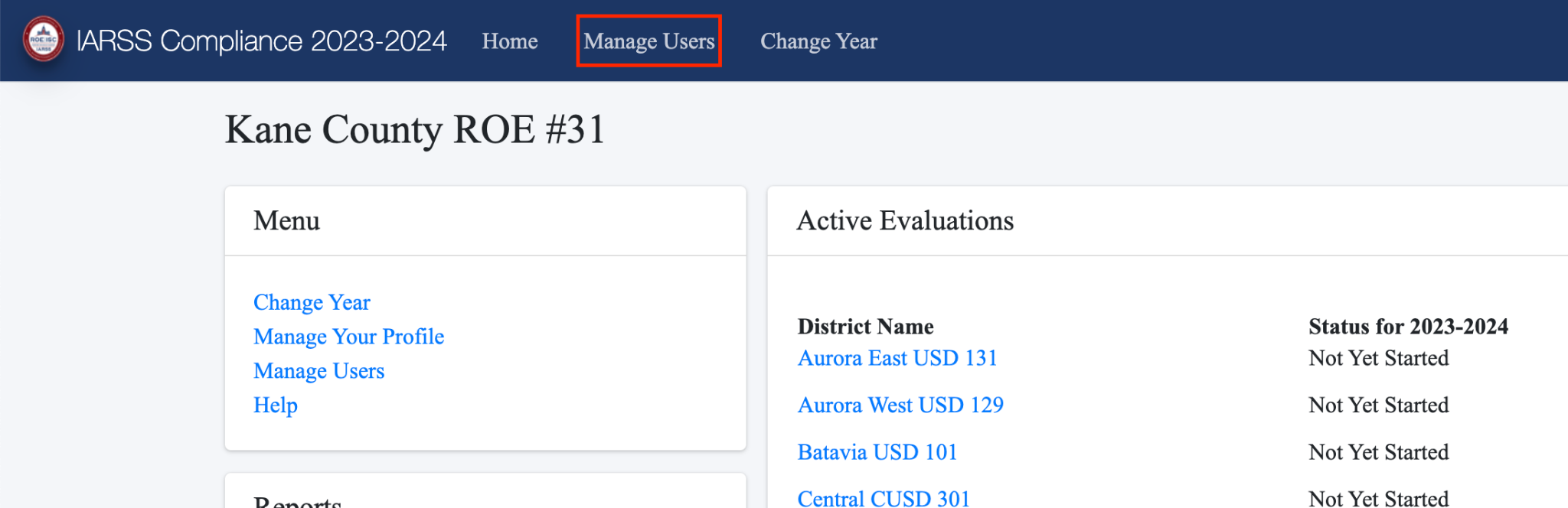
Step 2: Locate Your Test District
Scroll down through your active district registry to locate your assigned Test District.
Click directly on the test district's profile row.
Step 3: Trigger Impersonation Mode
A configuration window will pop open on your screen.
Locate and click on the link labeled IMPERSONATE TEST DISTRICT.
The system will immediately re-route your session, securely switching your active view to the test district superintendent's account profile.
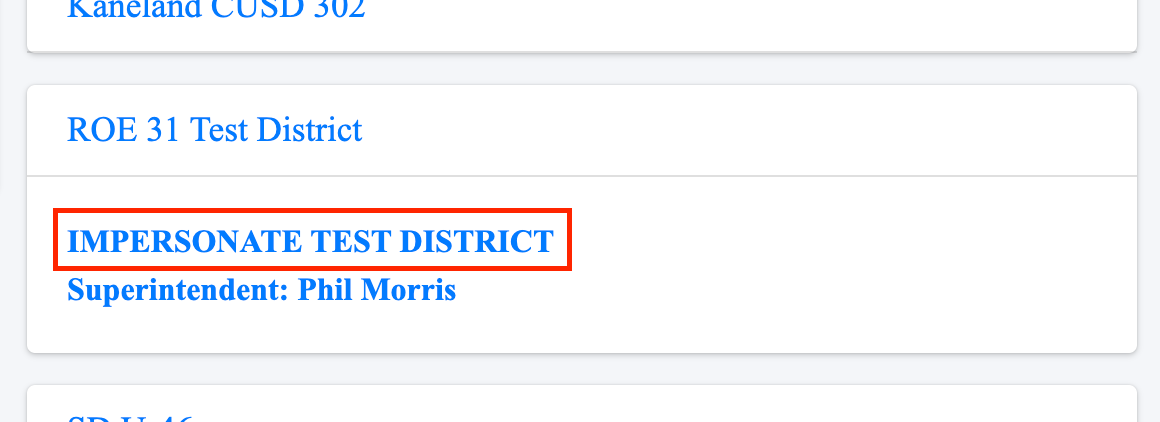
Step 4: Verify Your Status (The Red Bar Indicator)
You will instantly know when you are successfully in impersonation mode because the portal's top navigation bar will turn red.
While this red banner is visible, any actions you take will mirror exactly what a district staff member experiences.

Step 5: Exit and Return to Your ROE Account
Once you are finished testing or troubleshooting, locate the top navigation bar.
Click the Stop Impersonation button. The red bar will disappear, and you will be returned safely to your standard ROE administrator dashboard.
Need Help?
Can I impersonate a normal, live school district?
No. For data security and strict privacy reasons, you are only permitted to use this feature inside your designated sandbox test district. The system will block any attempts to impersonate actual, non-test district profiles.
Technical Portal Issues
If the "Impersonate Test District" link does not appear in your window, or if you accidentally altered the test account email and are now locked out, please contact the support team immediately at ComplianceHelpdesk@kaneroe.org for a profile reset.
Was this article helpful?
That’s Great!
Thank you for your feedback
Sorry! We couldn't be helpful
Thank you for your feedback
Feedback sent
We appreciate your effort and will try to fix the article