Firm, District, and/or ROE Users
If the permit is still in the first step, with the application status of "Application Filing by District," any firm, district, or ROE user can cancel and delete the permit application by scrolling to the bottom of the Application Info page of the permit and clicking the "Cancel and Delete Application" button as seen in the following screenshot.
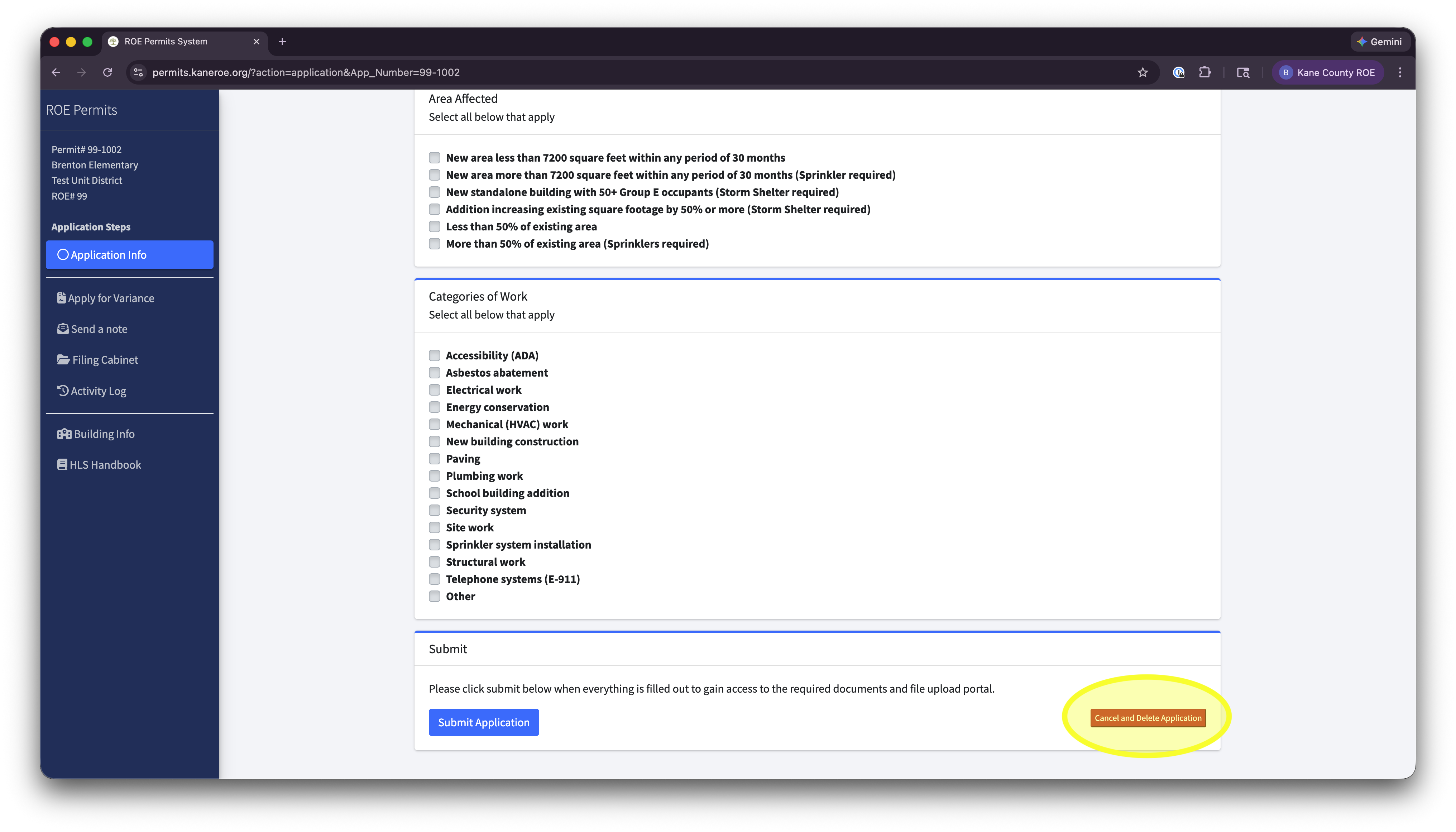
Once the permit is past the first step, that button is no longer available. Permits can still be cancelled, but this will need to be done in a separate way through the Activity Log, which is available only to ROE users.
ROE Users
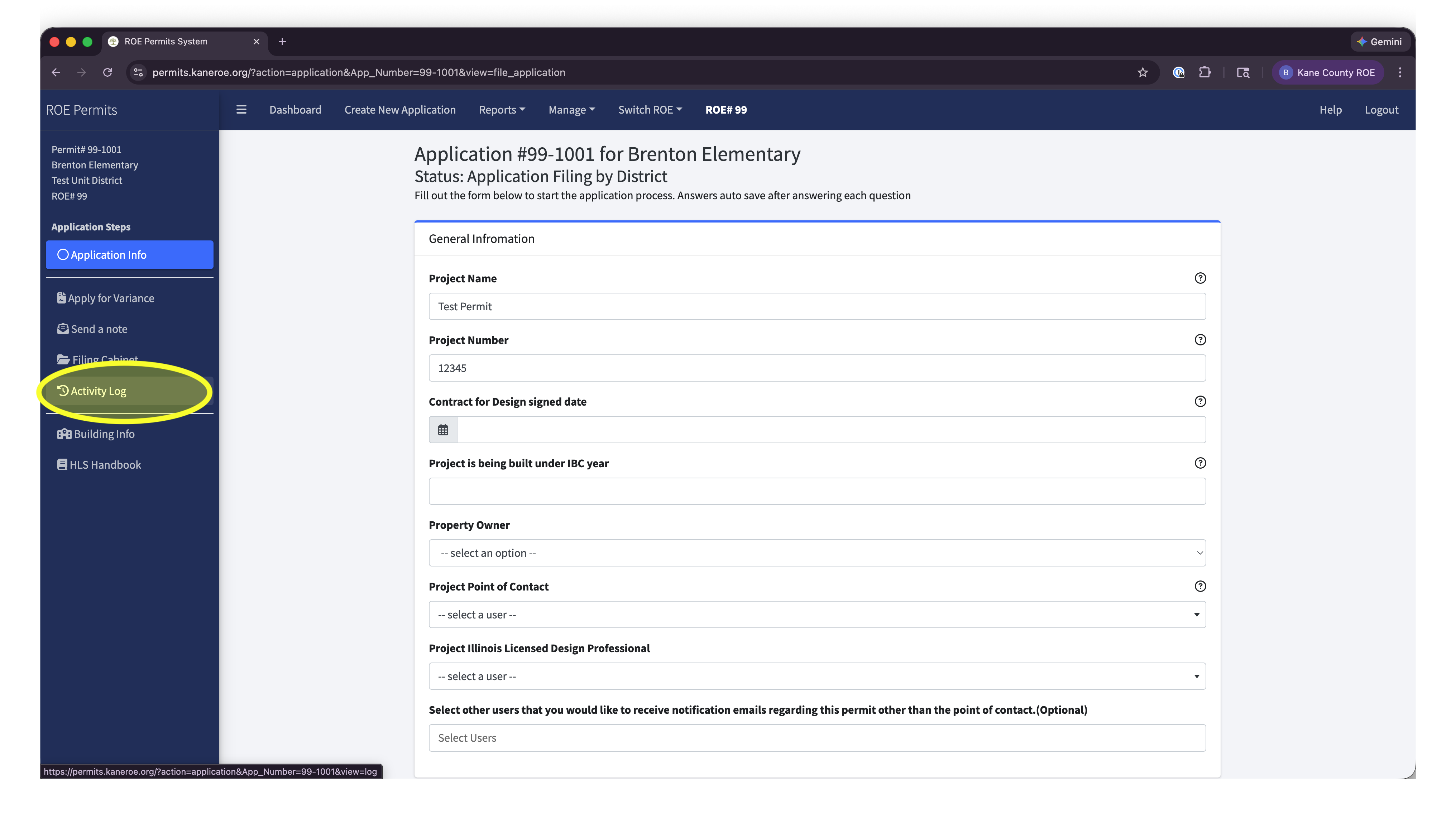
ROE Users will need to login and select the permit in question. Once in the permit, click on the Activity Log in the left side bar of the permit.
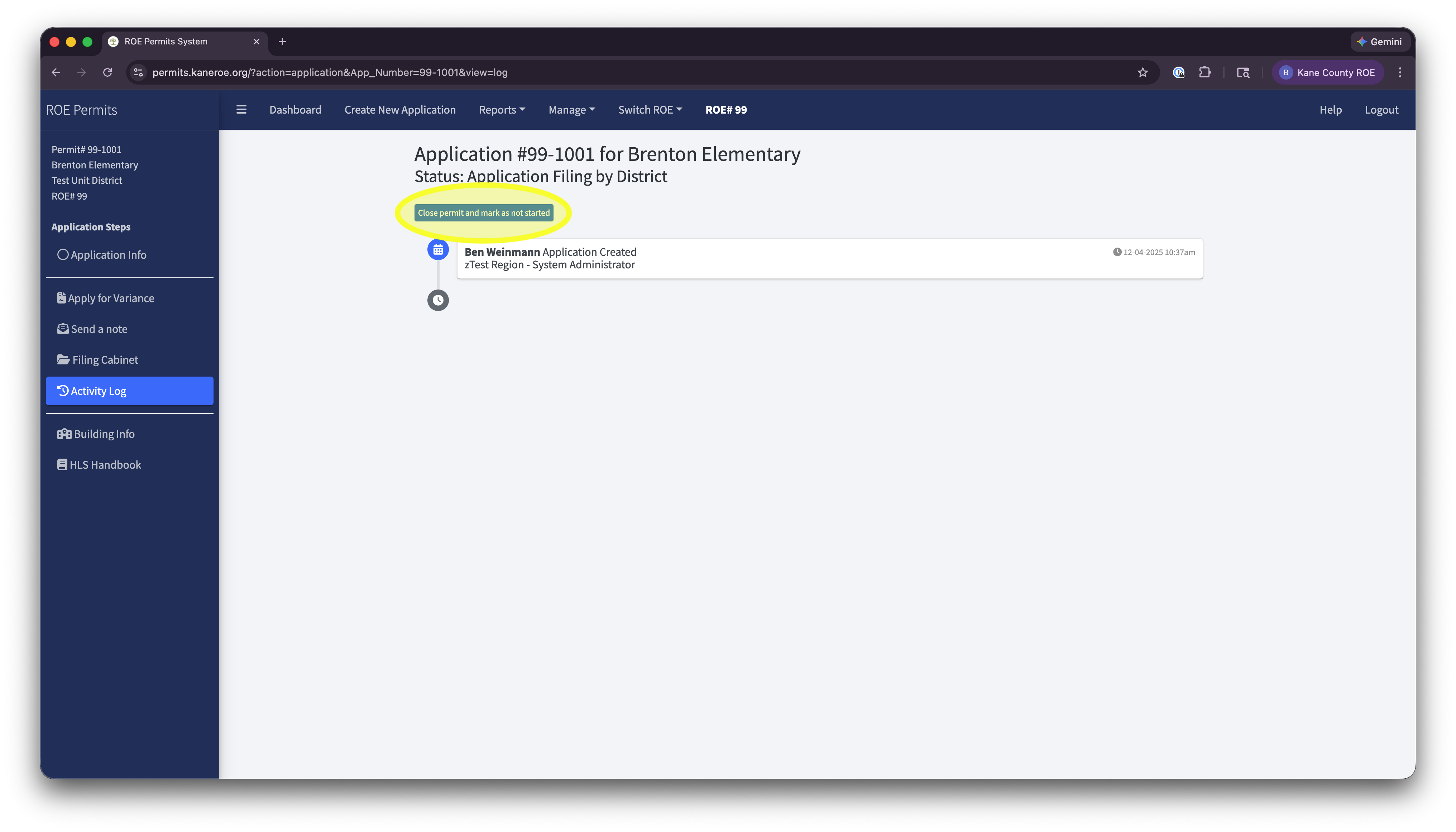
Once in the Activity Log, click on the "Close permit and mark as not started" button. This will close the permit and remove it from your active permit dashboard!
Was this article helpful?
That’s Great!
Thank you for your feedback
Sorry! We couldn't be helpful
Thank you for your feedback
Feedback sent
We appreciate your effort and will try to fix the article